2x2 Telemetry & 24h Battery
Real-time Task Manager metrics (CPU, GPU, RAM, Internet) and continuous 24-hour battery history curves.
AxePower brings PC monitoring, performance modes, game controls, AI recommendations and mobile control into one simple Windows experience.
Windows • Android Companion • Wi-Fi & USB
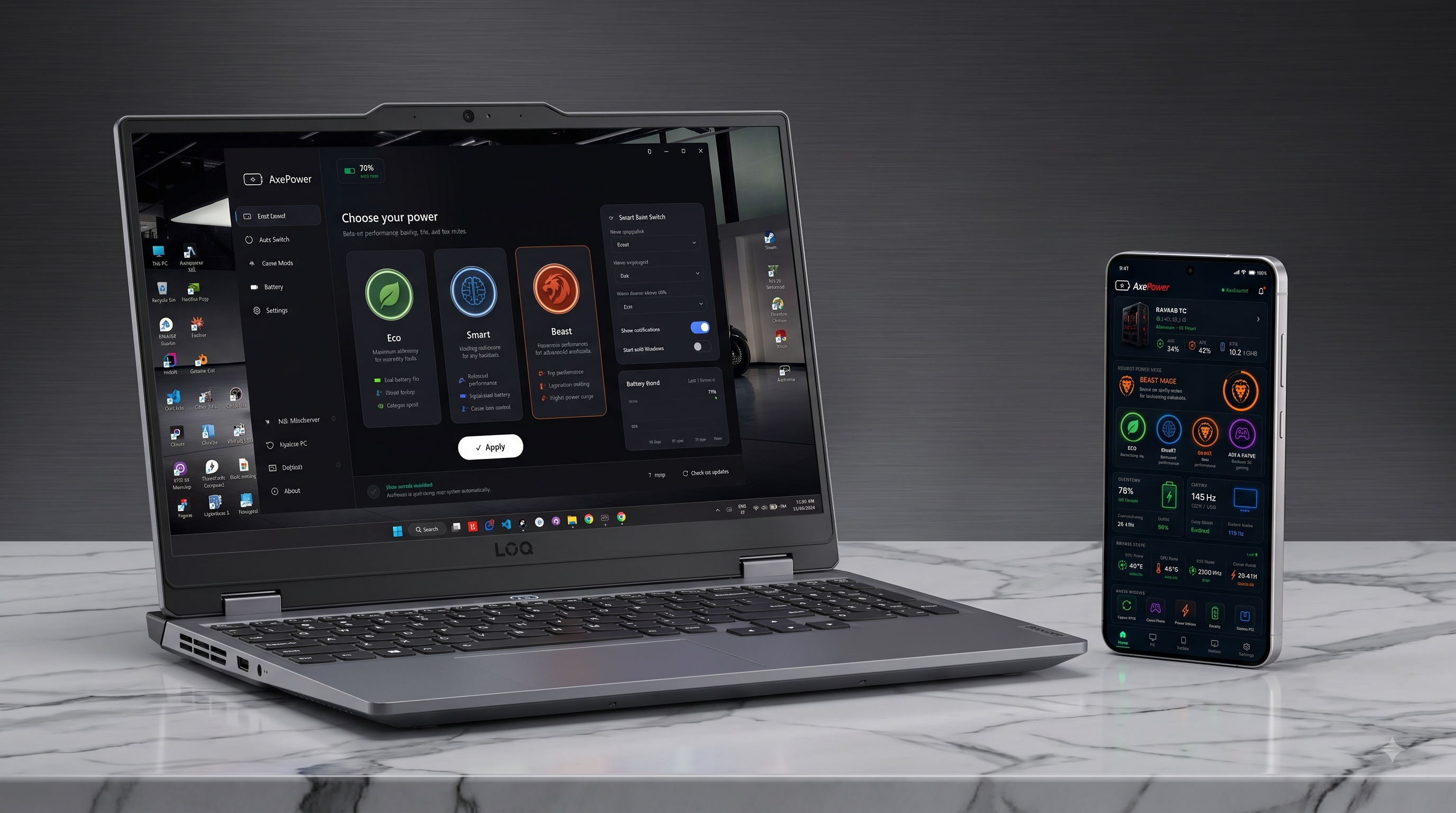
A complete set of tools to monitor, optimize, and control your Windows PC without complex configurations.
Real-time Task Manager metrics (CPU, GPU, RAM, Internet) and continuous 24-hour battery history curves.
Switch instantly between Eco, Smart, Beast, and custom Game Profiles with 1-click Steam context menus.
Per-game refresh rate locks, background suspension, controller navigation, and Dolby Atmos 3D audio tuning.
Context-aware power and resource recommendations that you review and apply with a single click.
Wireless LAN Drop file sharing, scrcpy mirroring, SpaceDesk second monitor, and Phone Link integration.
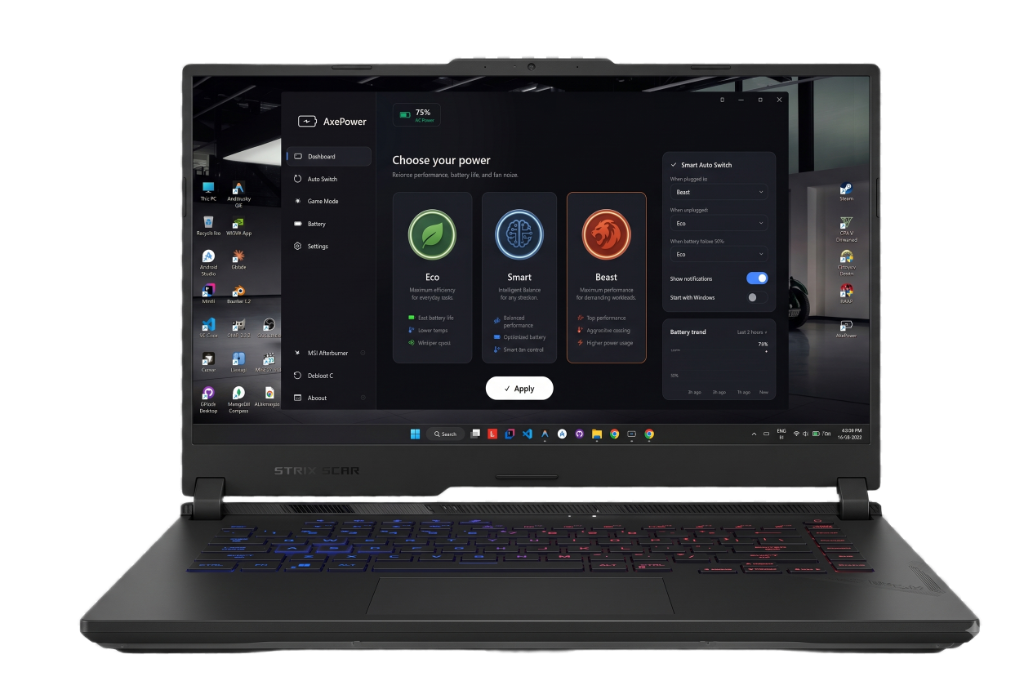
Switch between everyday efficiency and full performance with a single click.

Maximum efficiency for everyday browsing, documents and battery longevity.
 Best battery endurance
 Lower temperatures
 Whisper quiet fans

Intelligent balance that dynamically adapts power based on your active workload.
 Dynamic AC/DC scaling
 Optimal power-to-fan curve
Balanced thermal envelope
Optimal power-to-fan curve
Balanced thermal envelope

Uncapped performance unleashing maximum CPU & GPU power limits for heavy tasks.
 Maximum sustained clocks
 Full hardware wattage
 Aggressive cooling response

Automated game booster that suspends background tasks and applies gaming profiles.
 Foreground game priority
Locks max display Hz
Background app suspension
Foreground game priority
Locks max display Hz
Background app suspension
Launch your favourite titles with instant automated optimization.
AxePower can look at your current system and suggest useful actions, from performance settings to background applications and gaming recommendations.
Game detected. Game Mode may improve performance.
Several background applications are using system resources.
Your current setup may benefit from different OBS settings.
Use the AxePower Android companion to monitor and control your PC from anywhere on the same network.
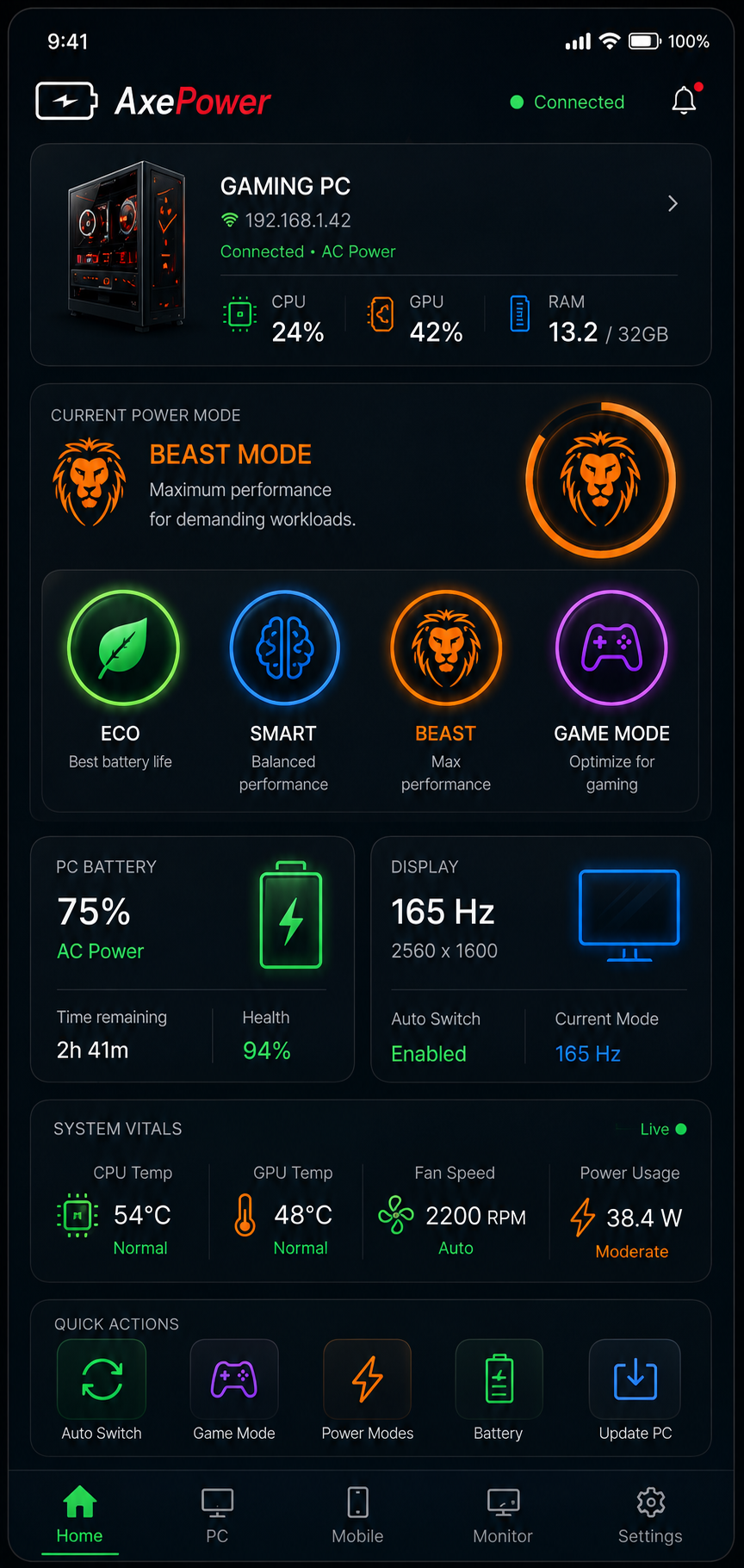
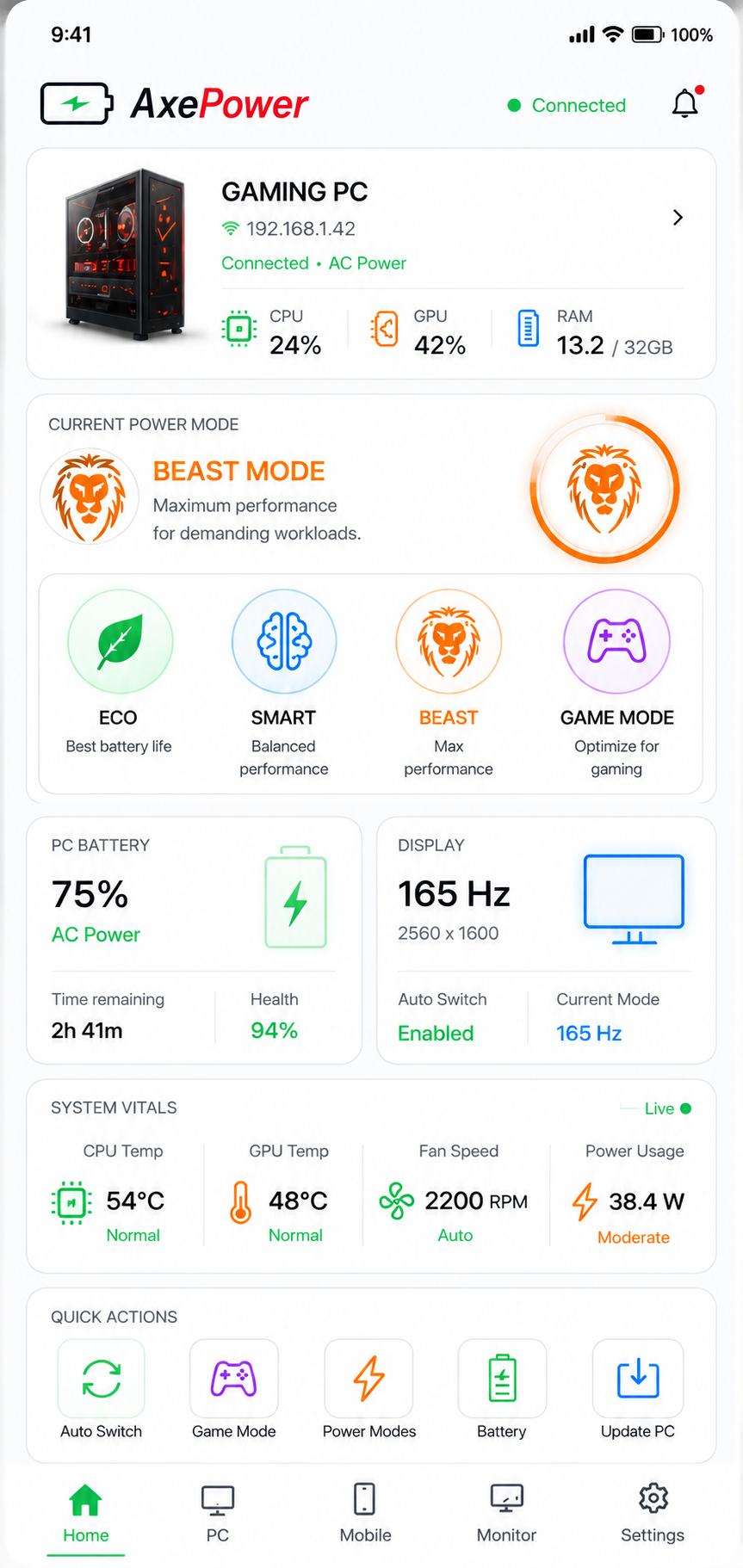
AxePower isn't here to replace every application on your PC. It works alongside specialized tools that already do their jobs well.
Direct low-latency Android device mirroring & control via scrcpy (Genymobile).
Turn any tablet, smartphone, or laptop into a wireless secondary Windows monitor over local Wi-Fi.

GPU overclocking, custom fan curve presets, and RivaTuner in-game statistics overlay.
1-Click setup for Dolby Atmos 3D spatial surround sound, SteelSeries GG Sonar, and Peace Equalizer.
Deep Win32/MSI/UWP app discovery, batch removal, and verified registry leftover cleanup.
Elevated Windows driver and package update checks via winget and USOClient with silent background auto-updates.
Elevated execution of Windows optimization and telemetry reduction scripts by Raphire.
Xbox and PC gamepad mouse & keyboard navigation integration via Gopher360 (Tylemagne).
Note: scrcpy, SpaceDesk, MSI Afterburner, Gopher360, and Win11Debloat are independent software created by their respective owners. AxePower provides elevated workflow launch, in-app instructions, and companion integrations.
Download AxePower for Windows and get the companion app for Android.
Quick answers about AxePower and how it works on your PC.
AxePower is a modern Windows control center application that unifies hardware monitoring, power plan switching (Eco, Smart, Beast), game profile optimizations, AI recommendations, and Android companion remote control in a clean, lightweight interface.
Yes. AxePower is 100% free to download and use with zero paywalls, zero ads, and zero telemetry.
Yes. The AxePower Android companion app connects directly to your PC over your local Wi-Fi or USB connection, letting you monitor temperatures, switch performance modes, and launch game profiles remotely.
No. AxePower is designed to work harmoniously alongside the tools you already rely on. It provides convenient quick-launch access and companion workflows without replacing your dedicated recording or overclocking software.
Yes. You can pair your Android companion device seamlessly using local Wi-Fi network discovery (via QR code or password pairing) or over a direct low-latency USB connection.
AxePower is engineered with absolute privacy at its core. The application and website do not collect, record, track, sell, or transmit any personal information, telemetry, device identifiers, or usage statistics to external servers. All power configurations, profile automations, and hardware adjustments execute 100% locally on your machine.
All hardware telemetry (CPU/GPU utilization, clock speeds, RAM usage, network bandwidth, battery discharge rates, temperature readings, and fan RPMs) is measured in real-time in local memory via native Windows Win32 APIs and hardware registers. No system state data ever leaves your computer.
The AxePower Android Companion connects directly to your PC via your local area network (Wi-Fi) or direct USB connection using end-to-end local sockets. Zero communication is routed through cloud relays or external servers.
AxePower and AxePower.com communicate with the public GitHub REST API (api.github.com/repos/mrAbhimanyuVishwakarma/AxePower_Download/releases/latest) exclusively to detect and download verified installer binaries.
AxePower coordinates with exceptional open-source and companion utilities:
All brand names and trademarks belong to their respective copyright holders. AxePower functions as an independent, non-commercial power management companion created by Abhimanyu Vishwakarma. For requests, modifications, or inquiries, please open an issue on GitHub.
AxePower is distributed free of charge under the standard MIT License. You are granted permission to inspect, use, copy, modify, merge, and distribute the software in compliance with the open-source license.
The software is provided "AS IS", WITHOUT WARRANTY OF ANY KIND, EXPRESS OR IMPLIED, INCLUDING BUT NOT LIMITED TO THE WARRANTIES OF MERCHANTABILITY, FITNESS FOR A PARTICULAR PURPOSE AND NONINFRINGEMENT. IN NO EVENT SHALL THE AUTHORS OR COPYRIGHT HOLDERS BE LIABLE FOR ANY CLAIM, DAMAGES OR OTHER LIABILITY.
Power mode switching (Eco, Smart, Beast) utilizes native Windows power policies and supported hardware control interfaces. Users are encouraged to maintain adequate laptop ventilation during demanding Beast Mode workloads.